What is Private Packages?
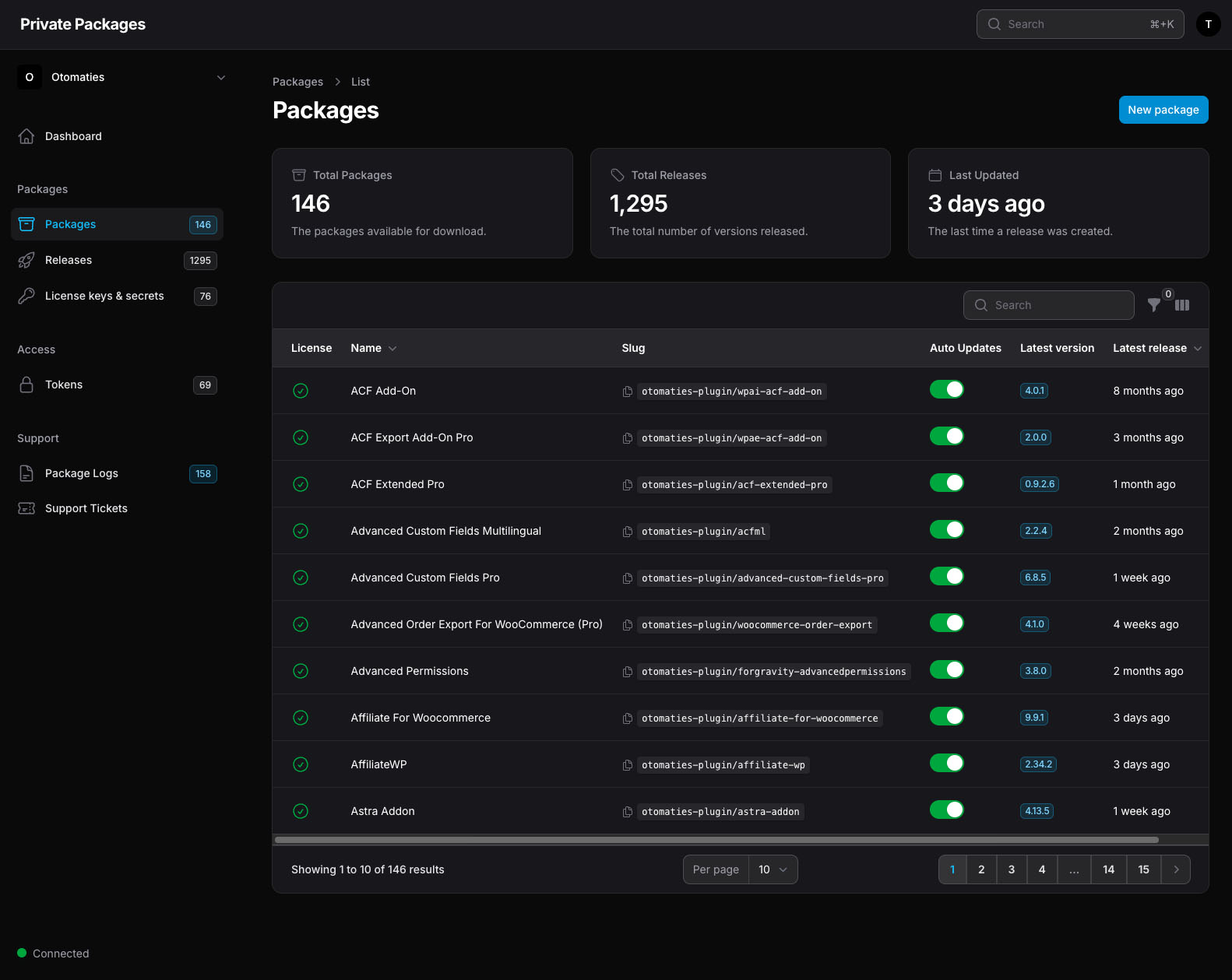
Private Packages is a managed platform that acts as a private Composer repository for your premium WordPress plugins and themes. You connect your licenses, and Private Packages handles the rest. It automatically checks for new versions every few hours, storing them securely, and exposing them through a Composer repository that your projects can pull from.
Each workspace gets its own repository URL, its own authentication tokens, and its own package list. For agencies and freelancers managing multiple clients, you can run separate workspaces with complete isolation between them.
Why not just use SatisPress?
SatisPress is a well-known open-source solution that installs on a WordPress site and turns your installed plugins and themes into a Composer repository. It works, and it’s free, but it comes with real trade-offs around performance and reliability.
Because SatisPress runs as an active WordPress plugin, your repository is only as stable as the WordPress site hosting it. A plugin conflict, a failed update, or a server hiccup can take your entire Composer repository offline — and every project depending on it will fail to deploy. On top of that, performance degrades as you add more plugins.
Private Packages takes a different approach:
| private-packages.com 140 active plugins | Self-hosted
Satispress 25 active plugins | |
|---|---|---|
| Plugin install time (cold) Time to install Advanced Custom Fields Pro via Composer. | 1.9s | 4.8s |
| Plugin install time
(warm) Time to install Advanced Custom Fields Pro via Composer. | 1.0s | 5.0s |
| Performance How performance changes as more plugins are added. | Stays fast | Slows down |
| Reliability Satispress runs as an active WordPress plugin, so updates can cause compatibility issues or break your repository entirely. | Isolated | Can break |
| Token access Per-project tokens with granular package-level permissions. | ✓ | ✗ |
| Track multiple themes Satispress requires a theme to be active to track updates, meaning only one theme can receive updates per Satispress instance. | ✓ | 1 theme only |
| Maintenance Ongoing work to keep the repository running. | Zero | WP + server |
| Costs What you pay per year to keep everything running. | From
€29/yr Subscription price | From €62.88/yr Hosting* |
* Based on a DigitalOcean Droplet (1 GiB RAM, 1 vCPU, 25 GiB SSD, 1,000 GiB transfer).
How it works
1. Create a workspace and add packages
After signing up, you create a workspace. Think of a workspace as a scoped repository: one per client, one per agency, or one for yourself. Inside the workspace, you add the premium plugins and themes you want to manage.
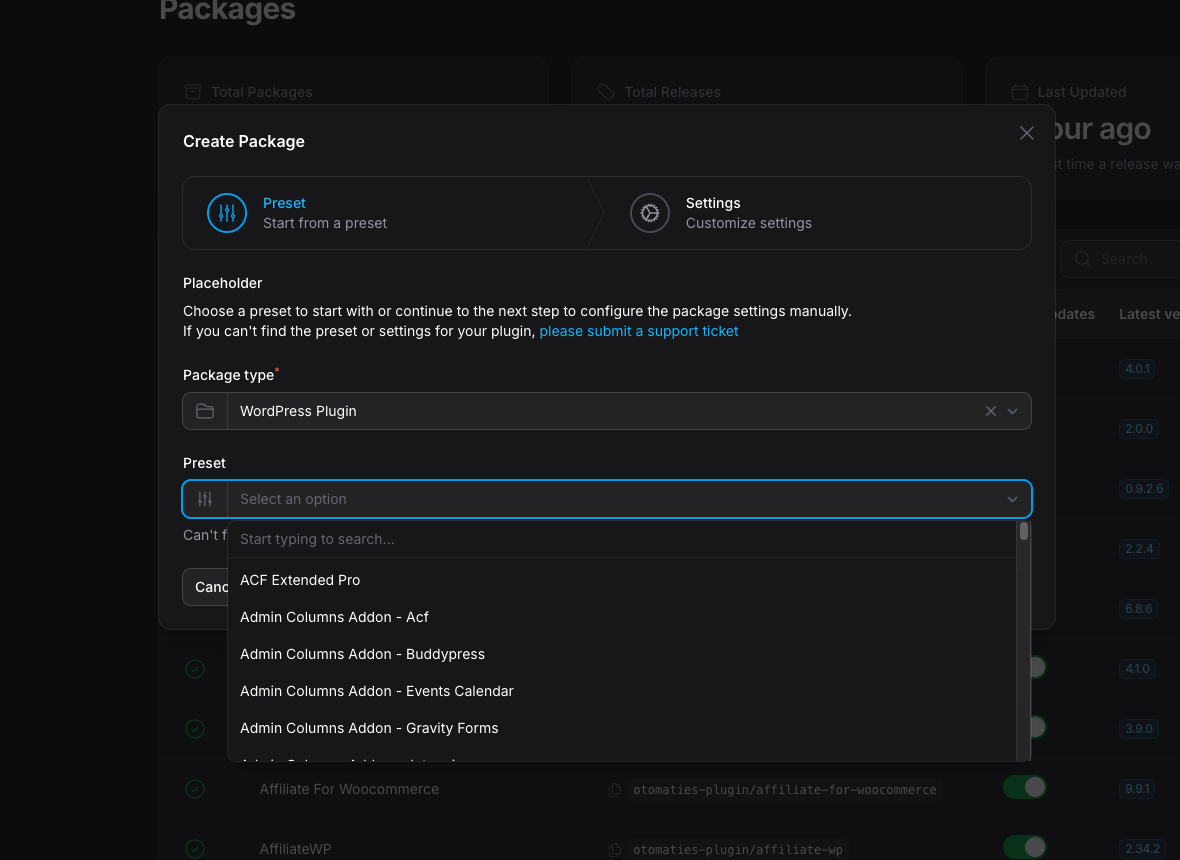
Private Packages ships with presets for over 300 plugins and themes. You search for the plugin you want to add and the correct recipe is configured automatically. All that’s left to fill in is your license key and the source URL (the website the plugin or theme is licensed for).
2. Add your license key
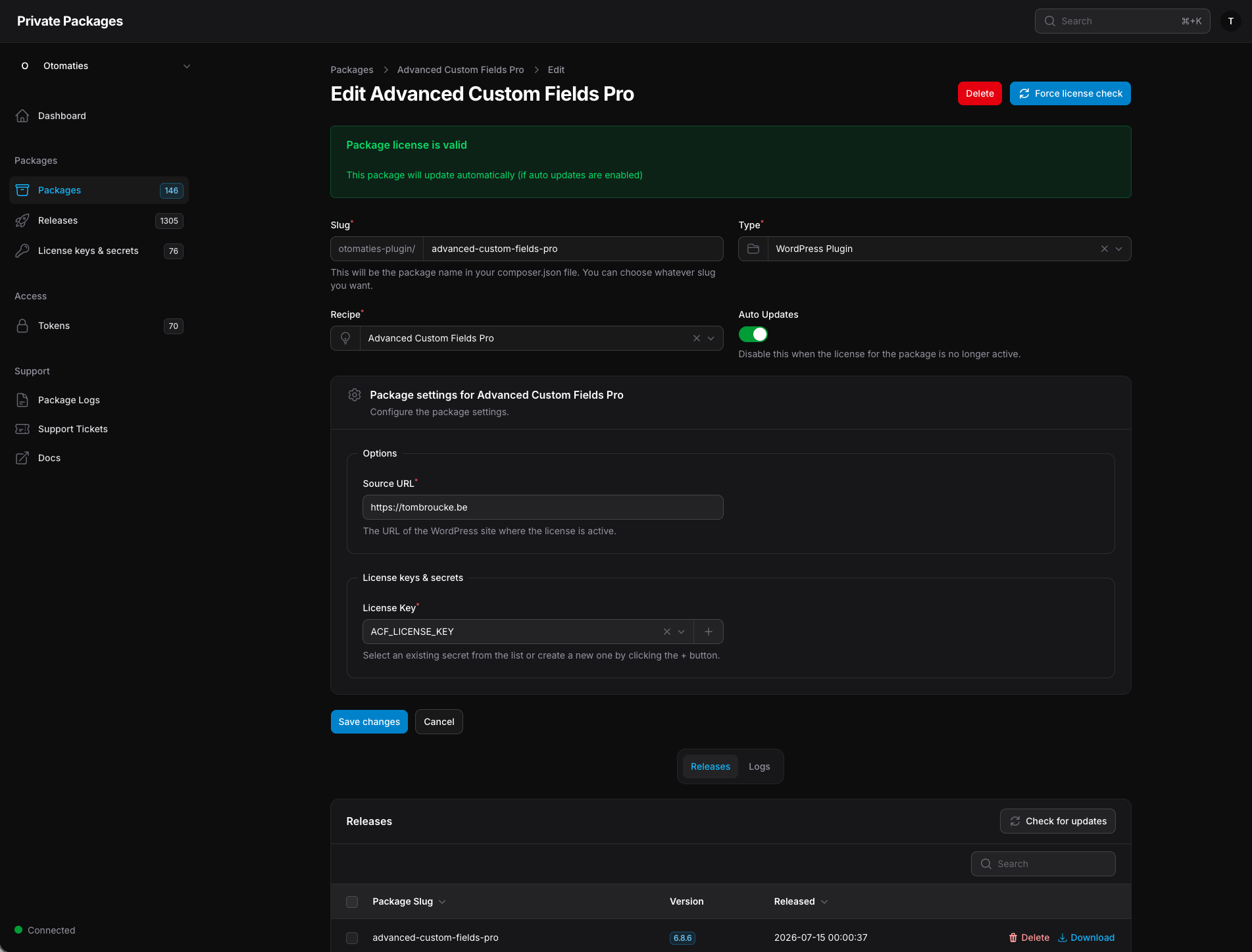
Once you’ve selected a preset, you provide your license key. Private Packages encrypts and stores it securely, then uses it to authenticate with the vendor’s system, both for downloading releases and for validating that the license remains active. A daily license check runs automatically, and if something goes wrong (expired license, changed API), you’ll see a clear error in the dashboard rather than a silent failure at deploy time.
For supported vendors, you can activate your license directly from the Private Packages interface without needing to visit the vendor’s site.
3. Generate an access token
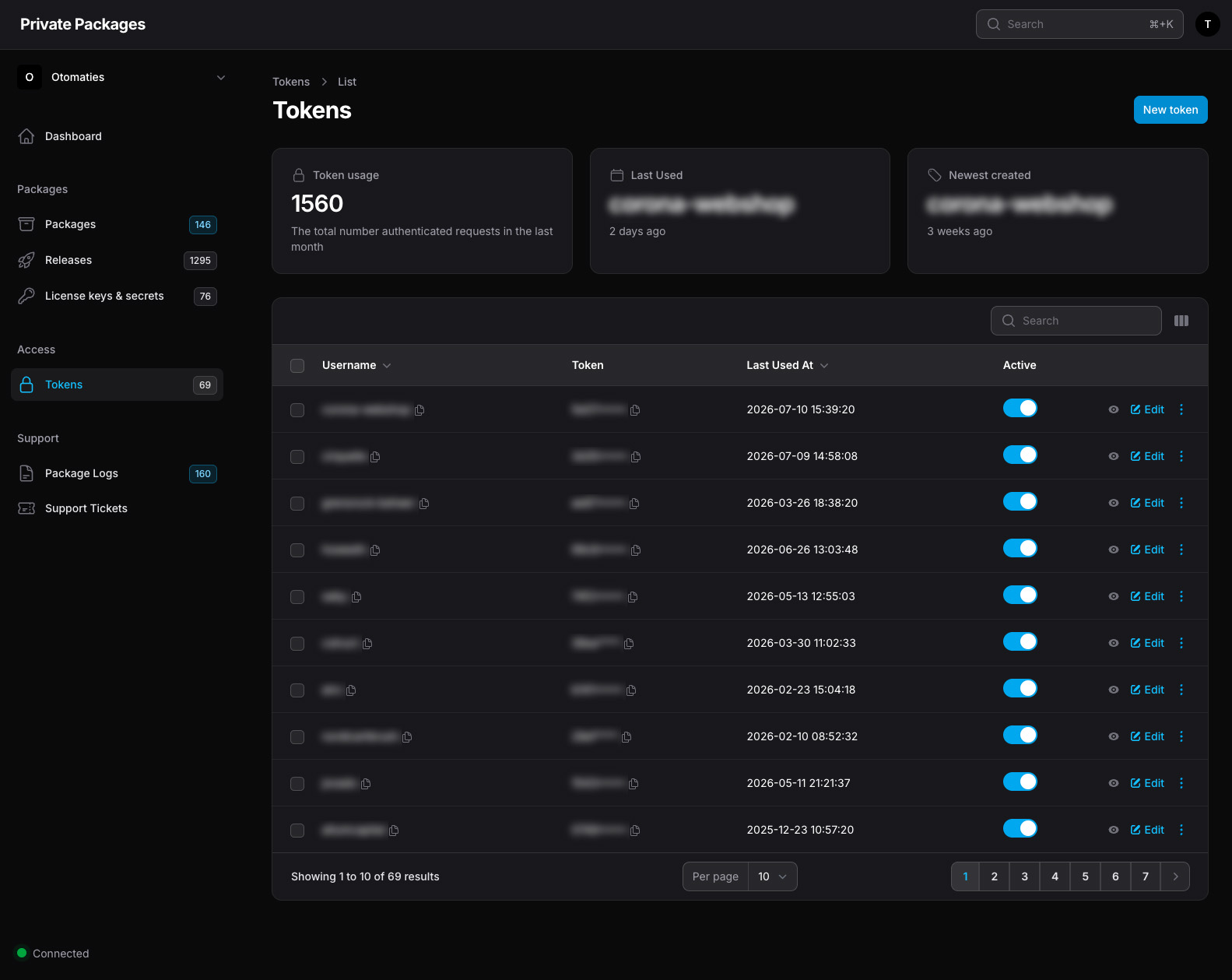
Each workspace exposes a Composer repository URL. To authenticate against it, you generate a token. Tokens are scoped to a workspace and can be created per-project, so revoking access to one project doesn’t affect others.
4. Configure Composer
Add your workspace’s repository URL to your project’s composer.json:
"repositories": [
    {
        "type": "composer",
        "url": "https://otomaties.private-packages.com"
    }
]
Then add your token to auth.json so Composer can authenticate:
{
    "http-basic": {
        "otomaties.private-packages.com": {
            "username": "{{token-username}}",
            "password": "{{token-password}}"
        }
    }
}
Make sure auth.json is in your .gitignore so your token stays out of version control.
5. Require packages like any other Composer dependency
With the repository configured, you can require premium plugins just like any public package:
composer require otomaties-plugin/advanced-custom-fields-proFrom this point on, composer update handles everything. When Private Packages picks up a new version, it becomes available in your repository and your normal update workflow just works.
Updates run automatically
Every few hours, Private Packages checks all configured packages across all workspaces for new releases. When a new version is found, it’s downloaded, stored, and the Composer metadata is updated. You can also trigger a manual update check at any time from the package detail page.
Built for agencies and freelancers
If you manage WordPress projects for multiple clients, workspaces give you clean separation. Each client gets their own workspace with their own packages, their own tokens, and their own billing.
When a client relationship ends, you revoke their token. No passwords to change, no shared credentials to rotate across projects.
Get started
Private Packages is available at private-packages.com. You can sign up and start a trial — no self-hosted infrastructure required.